GenAI
From firehose to digest: Using AI to curate my daily reading
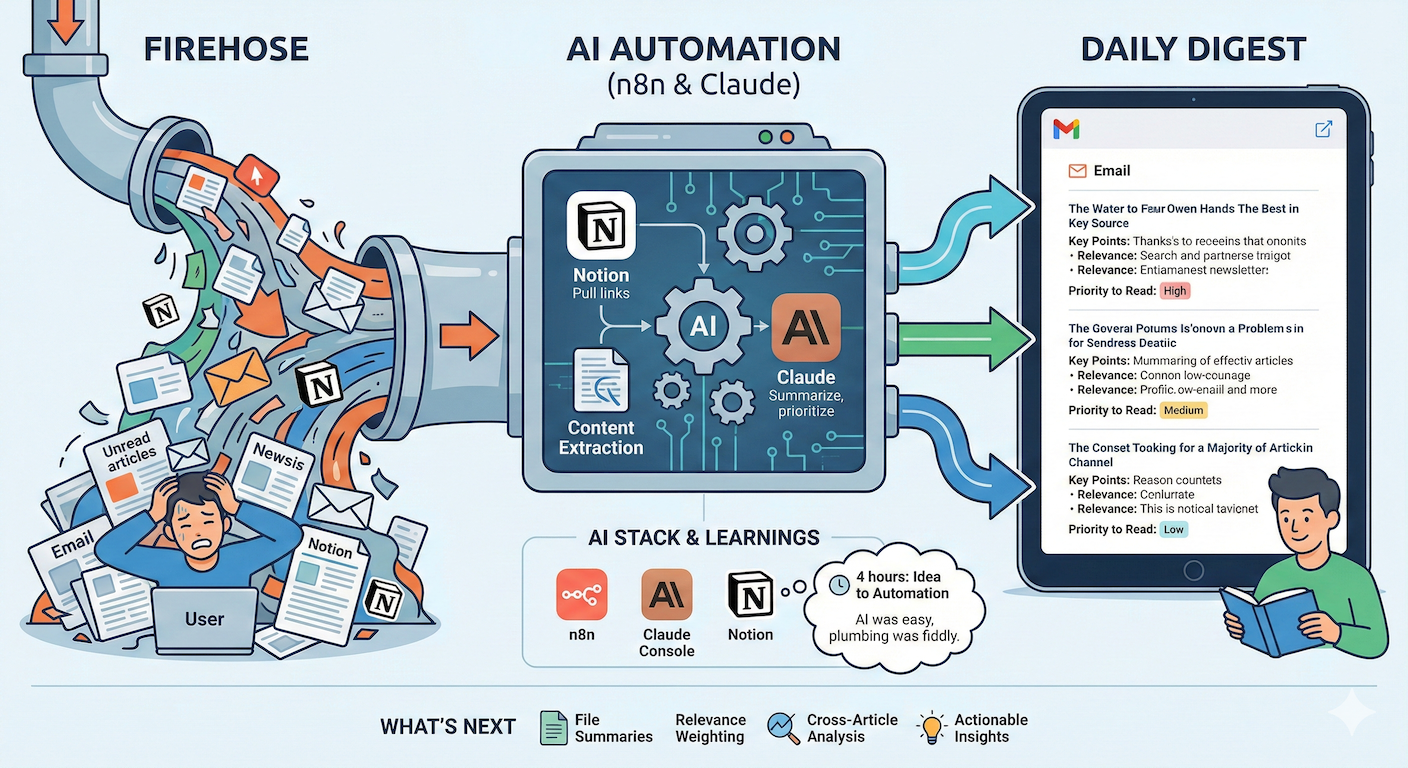
I have a problem: I have tons of articles I want to read and not enough time to read them. Right now I have 127 unread articles in my Notion list and orders of magnitude more sitting in unread email newsletters.
Building on my 2025 GenAI experiments, an idea popped into my head: could I use AI to help me do something about the firehose of articles?
The Problem
The problem wasn’t finding things to read, it was deciding what was worth my time from the pile. Every article feels important when I save it. None of them feel urgent enough to read later.
My Experiment
I built an AI automation with n8n that summarises articles for me. I won’t call it an “AI agent” as it doesn’t operate autonomously towards achieving a goal, but it’s a stepping stone towards thinking about agentic workflows.
How it works
- Pulls article links from my Notion database (any that haven’t been summarised yet)
- Extracts the content from each article
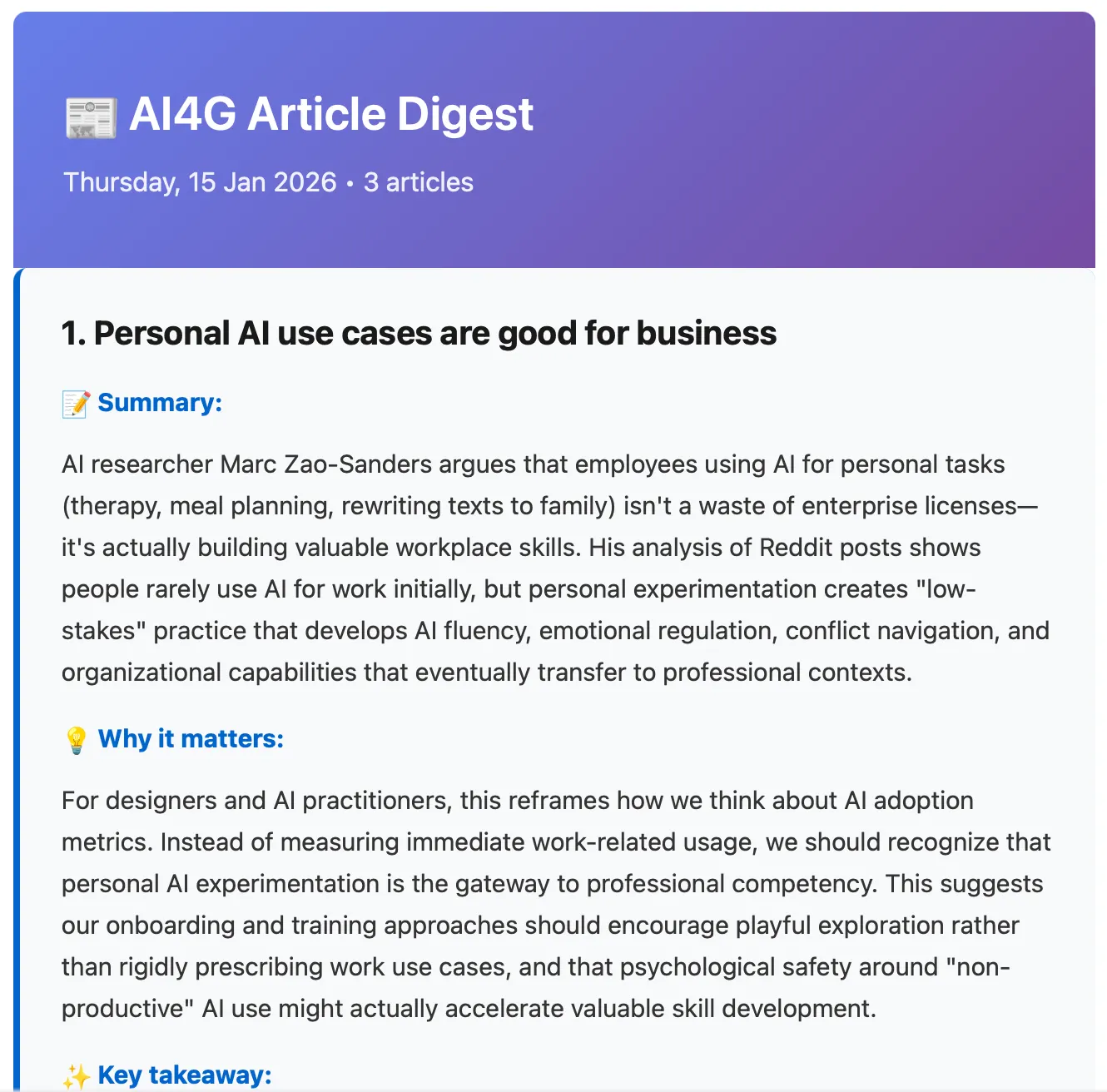
- Sends everything to Claude to summarise with key points, why it’s relevant to me, and a “priority to read” rating
- Emails me a formatted digest of 3 articles
Why 3? I found that’s about the right volume — enough to feel worthwhile, not so many that the email itself becomes another thing to ignore.
My AI stack
- n8n — a no-code automation tool (limited free tier)
- Claude — GenAI tool by Anthropic (used Claude Console, minimal cost)
- Notion — note-taking app (free)
I also used Claude to help me configure and debug the n8n setup, and to write the code that compiles the summaries into a formatted email.
What I Learned
Claude as a build partner. The real finding for me on this is not that “AI writes code” but that “I can bring ideas to life quickly that I wouldn’t have even started”. The barrier to building something useful has dropped massively. With Claude’s help, it took about 4 hours to go from idea to working automation.
The AI part was easy. The plumbing took a bit more work. Getting Claude to summarise articles took maybe 20 minutes of prompt tweaking. The fiddly work was everything else: some sites block content extraction so I had to handle errors, and getting the summaries formatted nicely for email took iteration. None of it was hard, but I hadn’t planned for it. The happy path is quick; the edge cases are where the time goes.
Has It Worked?
It’s too early to say. The digest is landing in my inbox regularly, the summaries are useful, and I’m hoping it helps me prioritise the articles that are actually worth reading in full rather than skimming headlines and moving on.
I’ll track if it actually helps me read more articles and come back later.
What’s Next
The digest currently summarises everything I’ve saved — I want to experiment with making it smarter. Here’s a few ideas that are percolating:
- Summarise notes with attached files, not just from links (to work around access issues)
- Weighting articles by relevance — prioritise articles that connect to what I’m actively working on
- Cross-article analysis — spot patterns or trends in things I’m reading
- Actionable insight for me — extract something I should try or experiment with
- Get multiple perspectives — ask AI to summarise key points as a Chief AI Officer or Design Director to get different lenses on the content
If you’ve built something similar or have ideas for what would make this more useful, I’d love to hear about it.
A note on how I wrote this: I used Claude to brainstorm initial topics and content. Then I used voice transcription to provide feedback and edits. The final edit was done by my human hands on keys.